DBS101_Unit3
Unit 3: SQL and Database Operations
After completing Units 1 and 2, I now have a solid understanding of database concepts and the relational model. Unit 3 introduced SQL (Structured Query Language) and database operations, which are essential skills for working with relational databases.
ACID Properties of Databases
A transaction is a single logical unit of work that accesses and possibly modifies the contents of a database. The ACID properties ensure database transactions are processed reliably:
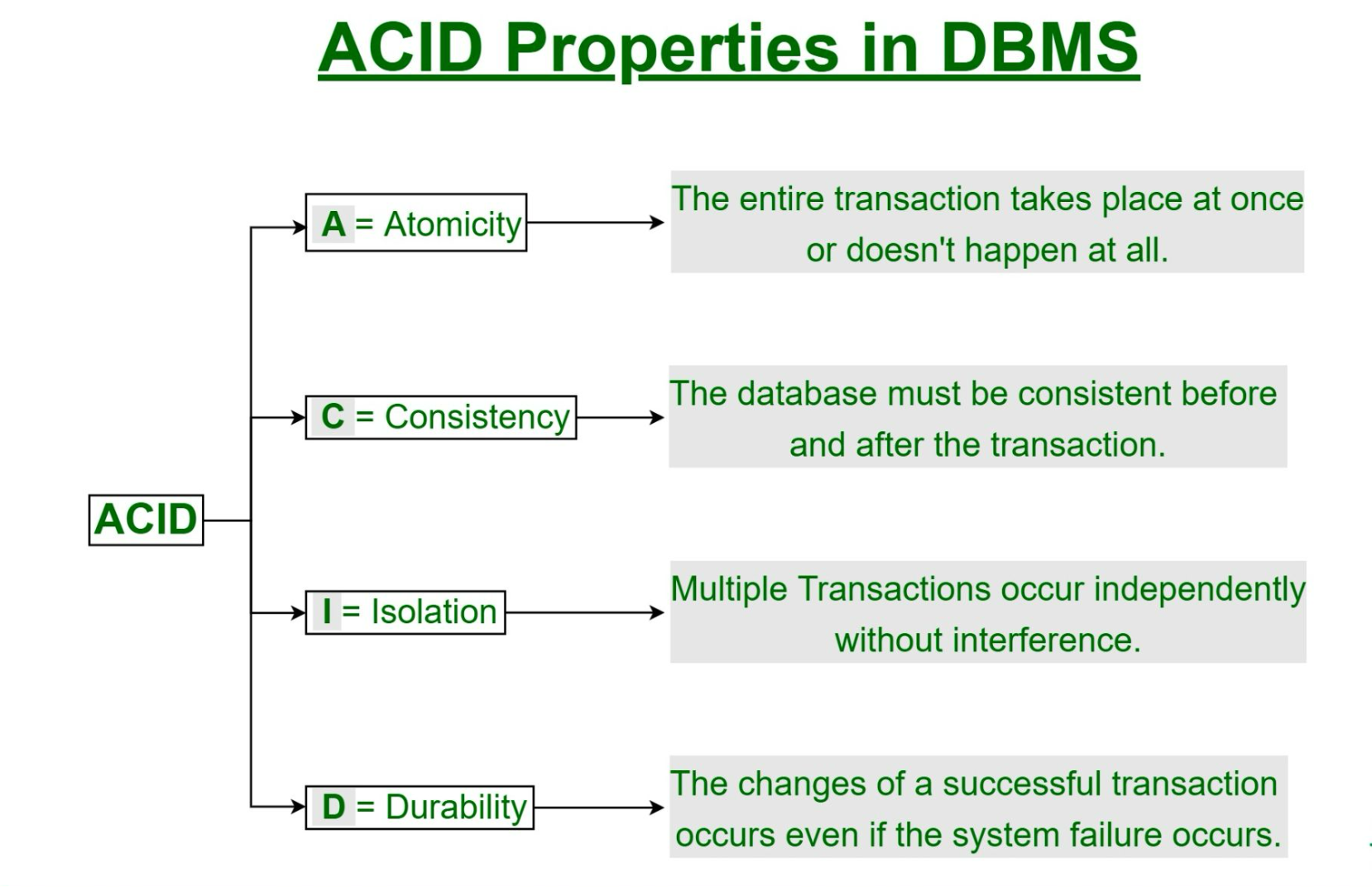
- Atomicity: Ensures that all operations within a transaction are completed successfully or none at all
- Consistency: Ensures that the database remains in a consistent state before and after the transaction
- Isolation: Ensures that concurrent execution of transactions results in a system state that would be obtained if transactions were executed sequentially
- Durability: Ensures that once a transaction has been committed, it will remain committed even in case of system failure
SQL Fundamentals
SQL was originally developed by IBM as part of the System R project in the 1970s. It has become the standard language for relational database management systems.
Parts of SQL
- DDL (Data Definition Language): Used to define database structures
- DML (Data Manipulation Language): Used to manipulate data
- Integrity: Used to ensure data integrity
- View Definition: Used to create views
- Transaction Control: Used to control transactions
- Embedded SQL and Dynamic SQL: Used to embed SQL in other languages
- Authorization: Used to control access to data
Basic SQL Data Types
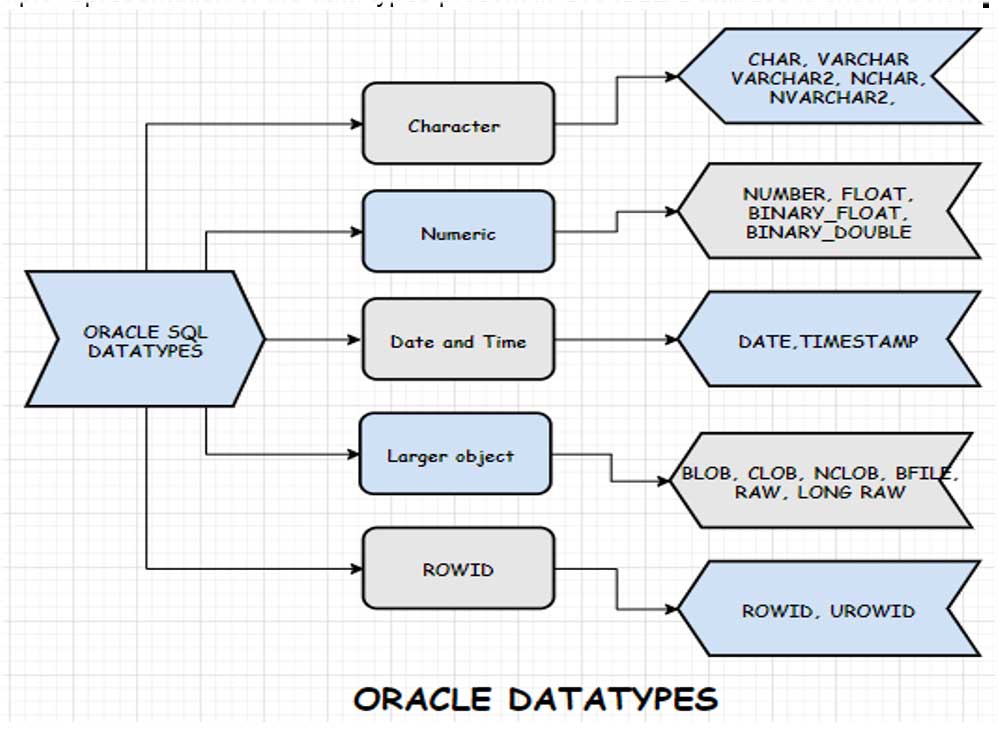
SQL supports various data types including:
- Character types (CHAR, VARCHAR)
- Numeric types (INT, SMALLINT, NUMERIC, REAL, DOUBLE PRECISION)
- Date and time types (DATE, TIME, TIMESTAMP)
- Boolean type (BOOLEAN)
Constraints in SQL
Constraints ensure data integrity by specifying rules for the data in a table:
- NOT NULL: Ensures a column cannot have NULL values
- UNIQUE: Ensures all values in a column are different
- PRIMARY KEY: Combines NOT NULL and UNIQUE constraints
- FOREIGN KEY: Prevents actions that would destroy links between tables
- CHECK: Ensures values in a column satisfy a specific condition
- DEFAULT: Sets a default value for a column
Database Operations
Creating and Managing Databases
The process of working with databases involves:
- Creating a database
- Creating tables with appropriate columns and constraints
- Inserting data into tables
- Querying data from tables
Airline Ticketing System Example
We worked on an Airline Ticketing System database as our practical example:
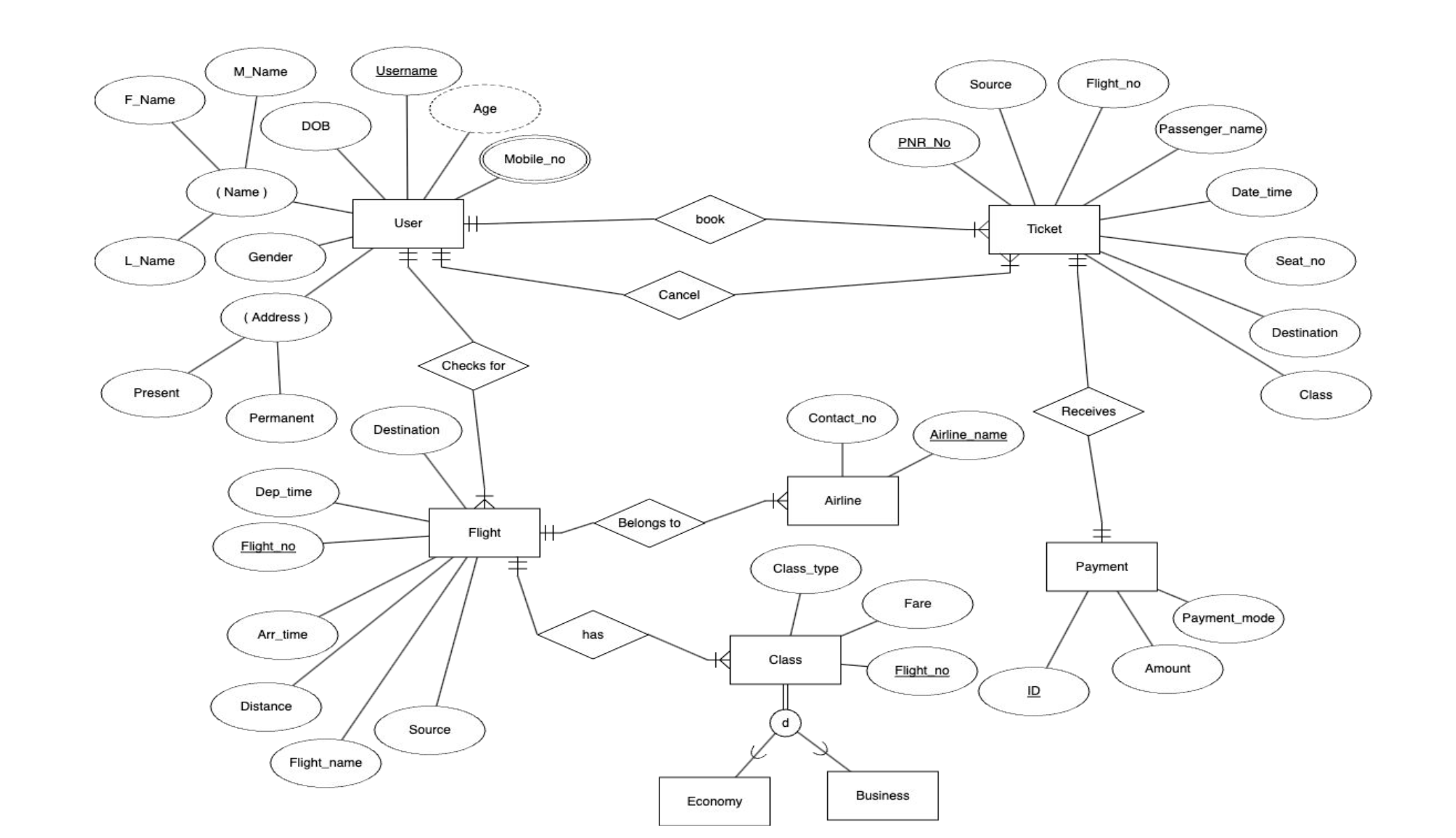
We converted this ERD into a relational schema and implemented it using SQL.
SQL Queries
Basic Query Structure
SQL queries follow a basic structure:
- SELECT: Specifies which columns to retrieve
- FROM: Specifies which tables to query
- WHERE: Filters records based on conditions
Query Clauses
- WHERE: Filters records based on conditions
- ORDER BY: Sorts the result set
- GROUP BY: Groups rows with the same values
- HAVING: Filters groups based on conditions
Working with Multiple Tables
SQL allows querying data from multiple tables using table joins and subqueries.
Advanced SQL Concepts
NULL Values in SQL
NULL values represent missing or unknown information and require special handling:
- In arithmetic operations, if any input is NULL, the result is NULL
- In comparison operations, comparing with NULL results in “unknown” (not true/false)
- SQL uses three-valued logic: true, false, and unknown
Aggregate Functions
Aggregate functions perform calculations on a set of values and return a single value:
- AVG(): Calculates the average of values
- COUNT(): Counts the number of rows
- MAX(): Finds the maximum value
- MIN(): Finds the minimum value
- SUM(): Calculates the sum of values
Nested Subqueries
Subqueries are queries nested within another query, allowing for more complex operations:
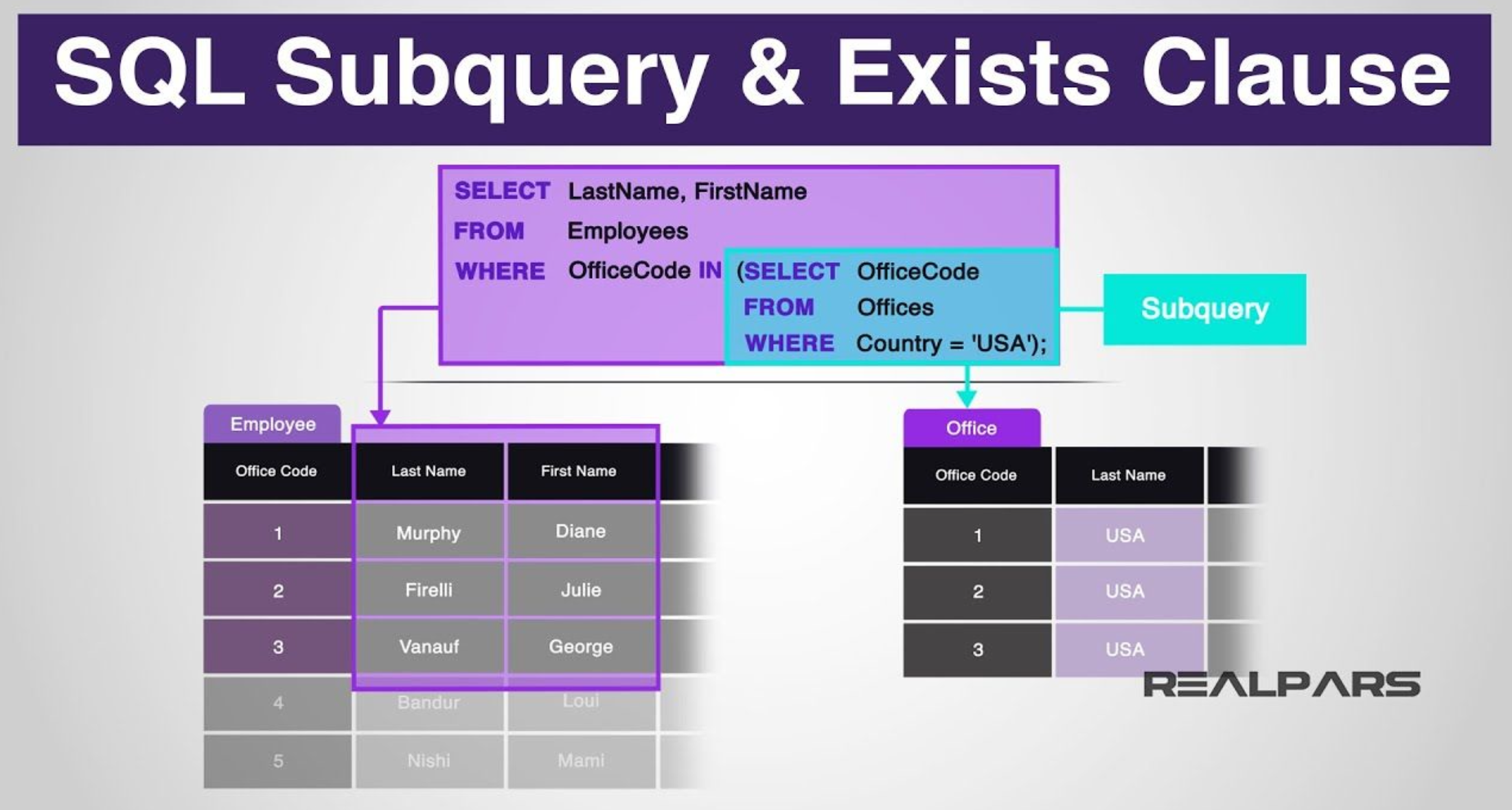
Types of nested query result expressions:
- ALL: Must satisfy expression for all rows in subquery
- ANY: Must satisfy expression for at least one row in subquery
- IN: Equivalent to =ANY()
- EXISTS: At least one row is returned
Window Functions
Window functions perform calculations across a set of related rows:
- They allow calculations without grouping rows into a single output row
- They can calculate aggregates, rankings, and other analytical tasks
- The OVER clause specifies how to group tuples when computing the window function
Looking Ahead
Unit 3 completely reshaped the way I see databases. It wasn’t just about memorizing SQL syntax—it was about understanding how data is managed, structured, and retrieved efficiently. I explored ACID properties, mastered queries from the simplest to the most intricate nested subqueries, and, most importantly, got to apply these skills in a real-world scenario. Working with the Airline Ticketing System brought everything to life, turning abstract concepts into tangible problem-solving skills.